Set up your company profile
Written By BildrX
Last updated 6 days ago
Your company profile drives the rest of BildrX. Investor matches, your AI Data Room checklist, and BildrX AI all read from it. Fill it in before anything else.
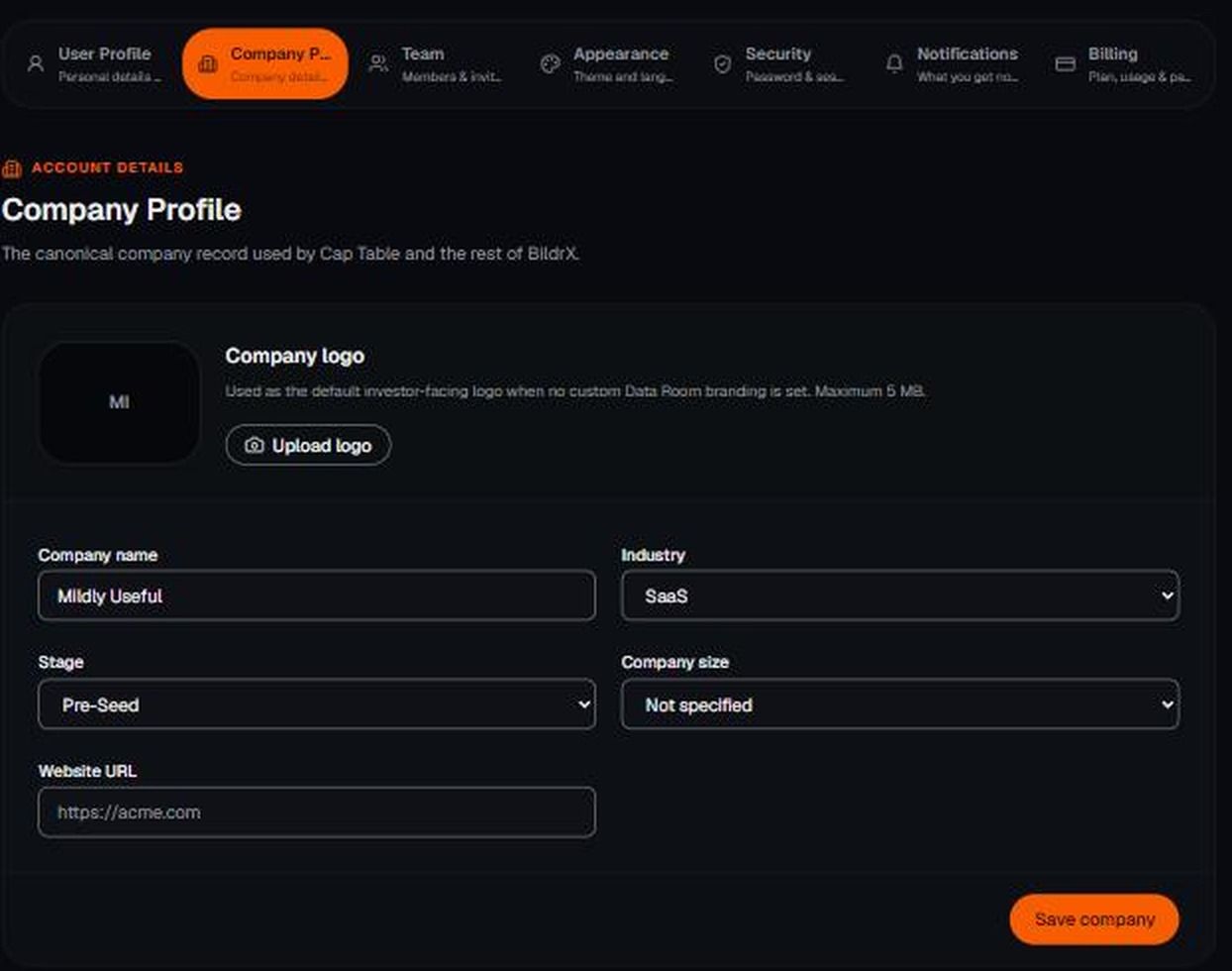
- Go to Settings → Company Profile.
- Add your company logo, company name, industry, stage, company size, and website URL.
- Save.
Why industry and stage matter
- Find Investors scores matches against your stage, your industry, and how recently each investor has been investing.
- Data Room → Generate AI checklist builds diligence items for your industry. A healthcare company gets items like HIPAA readiness. A SaaS company doesn't.
Change your industry later and you should regenerate your Data Room checklist so the items still fit.
Your own name, email, and photo live separately under Settings → User Profile.