Share your data room
Written By BildrX
Last updated 6 days ago
Data Room → Sharing & branding creates one public link to your whole data room. Recipients don't need a BildrX account.
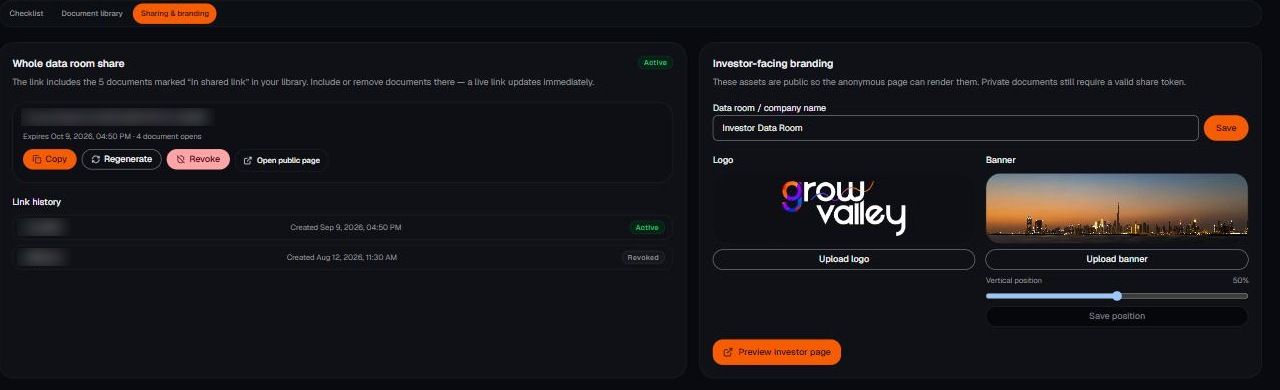
Set it up
- Add your logo, banner, and company name under branding. The public page renders them, so investors see your company rather than a bare file list.
- Generate the share link and set an expiry.
- Copy it and send it yourself.
Managing the link
- Open count shows how many times it's been opened.
- Regenerate issues a new link and kills the old one.
- Revoke shuts off access entirely.
- Link history shows what you've issued before.
Know the limits. This is one link for the entire room, not per-recipient access. Everyone with the link sees the same documents, and there's no NDA gate. Anything you wouldn't send to every investor on your list shouldn't be in the shared room. Regenerate the link after a process ends, so an old forward doesn't keep working.