Issue shares
Written By BildrX
Last updated 6 days ago
Set your authorized shares first. Cap Table → Issue security shows four numbers:
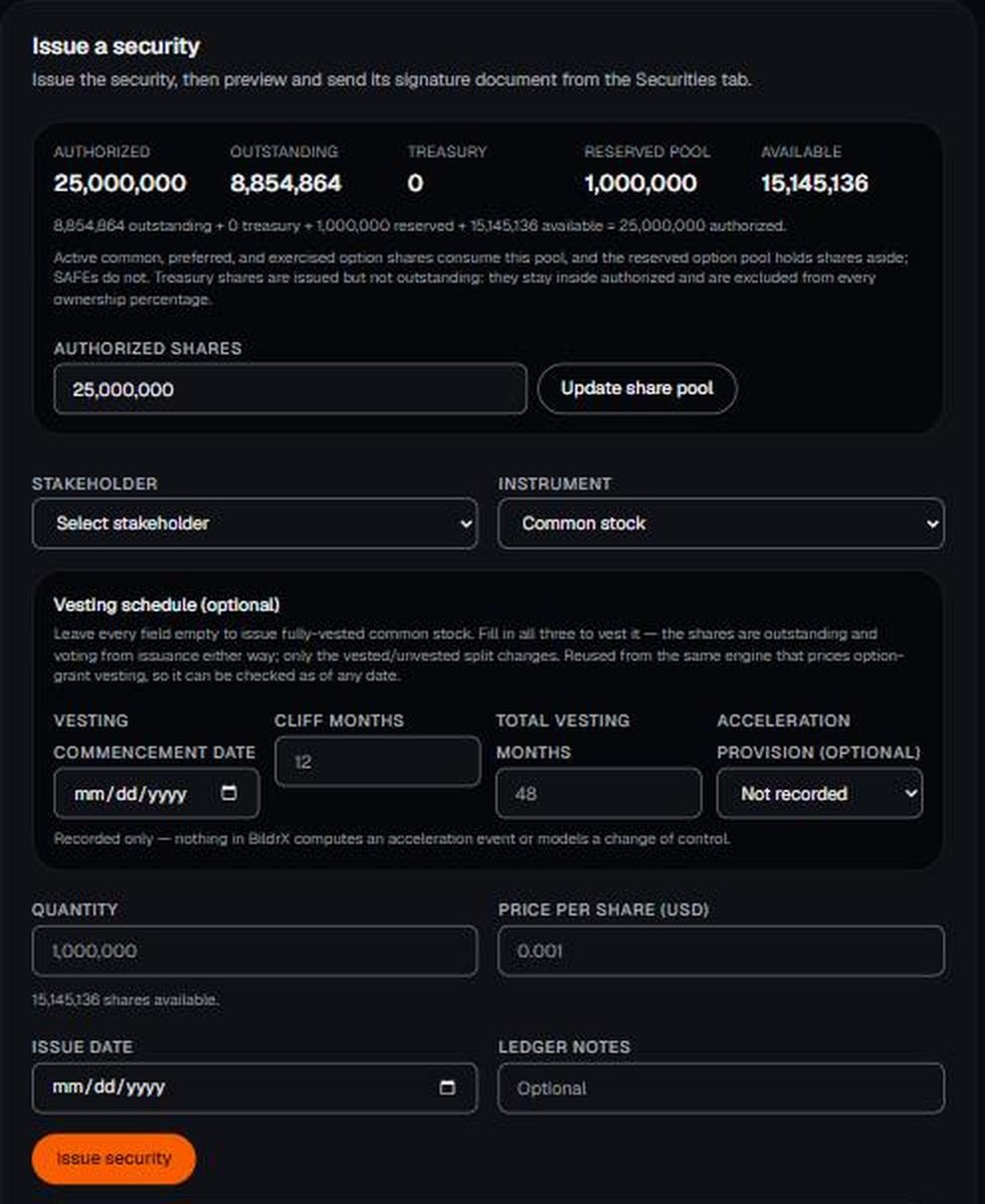
- Authorized — the maximum you're legally allowed to issue. Editable, and it should match your incorporation documents.
- Outstanding — shares actually issued and held.
- Reserved pool — set aside for employee options.
- Available — what's left.
Get Authorized right before issuing anything. Wrong numbers won't break the maths, but your cap table won't match your legal paperwork, and that's what investors check.
Issue a security
- Go to Cap Table → Issue security.
- Choose the stakeholder.
- Choose the type: Common, Preferred, Exercised option, or SAFE.
- Enter quantity, price per share, and issue date.
- Add a ledger note if it needs context, like a board resolution reference.
- Submit.
Outstanding and Available update immediately, and the row appears under Securities.
Which type
- Common — founder and employee shares.
- Preferred — priced round investors.
- Exercised option — created when an employee exercises a grant. Use the Exercise action on the grant rather than issuing these by hand.
Price per share is recorded. Detailed preferred terms like liquidation preference aren't captured at issuance, so keep those with the signed documents in your Legal Room.
BildrX gives operational tools for managing your cap table. It doesn't give legal, tax, or financial advice. Equity decisions carry legal and tax consequences that depend on your jurisdiction and circumstances. Get advice from a qualified lawyer or accountant before issuing securities, granting options, or closing a round.