Transfer, buy back, or cancel a security
Written By BildrX
Last updated 6 days ago
Every row under Cap Table → Securities carries its own actions.
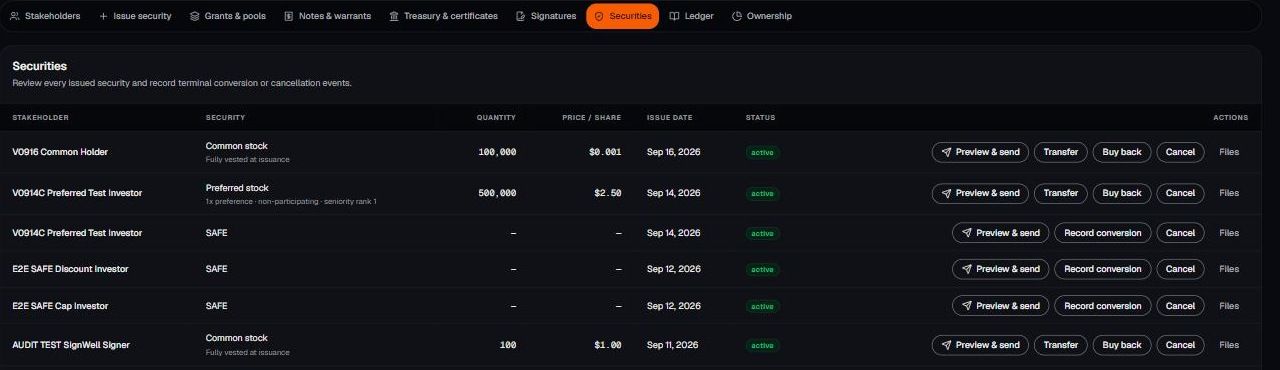
- Transfer — move a holding to another stakeholder, such as a secondary sale. The original row closes and the new holder gets one.
- Buy back — the company repurchases shares. The row is marked repurchased.
- Cancel — void a security, such as unvested founder shares after a departure.
- Files — attach the signed paperwork behind the transaction.
All three mark the existing row and add a ledger entry. Nothing is deleted. Mistakes get corrected forward with a new transaction.
A cap table change without a signed document behind it becomes a diligence problem. Use Files on the row, or store the executed version in your Legal Room.
BildrX gives operational tools for managing your cap table. It doesn't give legal, tax, or financial advice. Equity decisions carry legal and tax consequences that depend on your jurisdiction and circumstances. Get advice from a qualified lawyer or accountant before issuing securities, granting options, or closing a round.