Find your way around BildrX
Written By BildrX
Last updated 6 days ago
BildrX follows how a raise actually runs: find investors, get your house in order, then close.
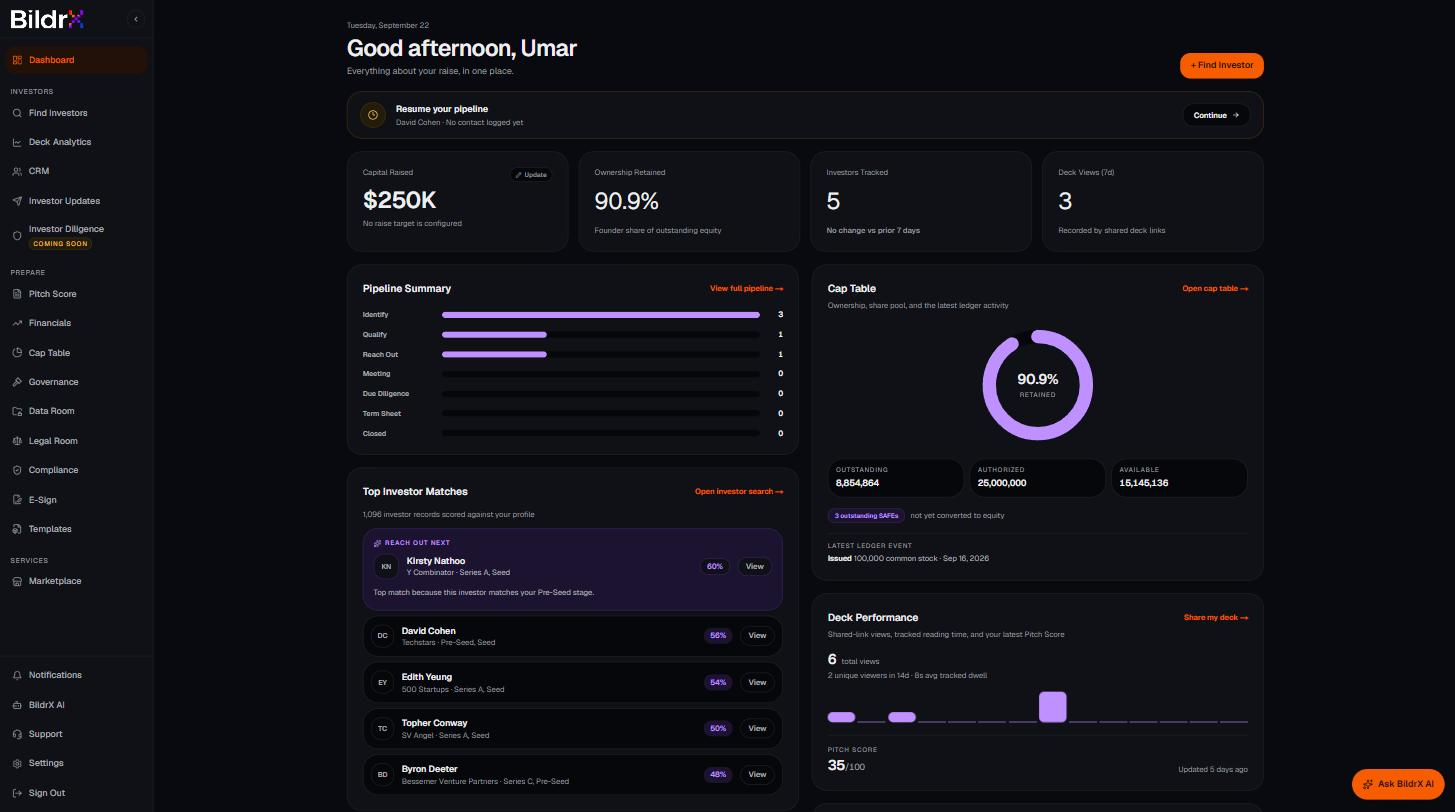
Dashboard sits at the top on its own — your raise at a glance.
Investors
- Find Investors — search the investor database and save the right ones.
- Deck Analytics — share your deck with tracked links and see who opened it.
- CRM — move investors through your pipeline.
- Investor Updates — not covered by this guide yet.
- Investor Diligence — marked Coming Soon.
Prepare
- Pitch Score — slide-by-slide AI critique of your deck.
- Financials — runway, burn, target, dilution, and valuation calculators.
- Cap Table — stakeholders, shares, option pools, and round modeling.
- Governance — not covered in this guide.
- Data Room — a diligence checklist and one shareable room.
- Legal Room — private storage for contracts and corporate documents.
- Compliance — not covered in this guide.
- E-Sign — not covered by this guide yet.
- Templates — outreach emails, updates, and planning documents.
Services
- Marketplace — hire the BildrX team for design, finance, legal, and investor relations work.
At the bottom of the sidebar: Notifications, BildrX AI, Support, Settings, and Sign Out.
Your Dashboard
Six things update as you work:
- Capital Raised — the one tile you set by hand. Click to edit.
- Ownership Retained — pulled live from your Cap Table.
- Investors Tracked — how many investors are in your CRM.
- Deck Views (7 days) — opens across your tracked links.
- Pipeline Summary — how many investors sit at each CRM stage.
- Top Investor Matches — best-fit investors with the reason they match.